

5-DEPOSIT WELCOME PACK
400% + 350 FS Across 5 Deposits
50% + 50 FS from £25
10%–35% real-cash return
20% boost + 70 FS
30 loyalty levels
Velwins UK on Mobile — Home-Screen PWA for Casino & Sports
Last updated: August 11, 2026
Velwins is a licensed online casino and sportsbook serving players in the United Kingdom. The platform runs on a Progressive Web App, giving mobile users direct access to over 9,000 casino games, live dealer tables, and sports betting from a single account.
The app works on Android and iOS without a separate download from a store. Players can install it from the Velwins website and use the same login, cashier, and GBP balance across every session.
How to Find the Right Velwins App Download Route
The correct access point for the Velwins casino app is the official website. Rather than searching through third-party sources or app repositories, players on any device should begin at the main site, where the app download or install prompt is clearly signposted. This matters because unofficial sources can distribute outdated or altered files that do not reflect the current app version.
Velwins runs on a Progressive Web App model, which changes the route slightly compared with a traditional APK or store download. There is no listing in the Google Play Store or Apple App Store to search for. Instead, Android players access the PWA through Chrome by visiting the site and using the browser’s install or add-to-home-screen option. iOS players on iPhone or iPad follow a similar path through Safari. The version of the app accessed this way is always current, since it updates automatically without requiring a manual download.
For players who are unsure which route applies to them, the app page on the site makes the distinction clear. The page identifies the access path by device type and browser, so there is no guesswork involved in finding the right option. Checking Velwins bonuses before starting the process is a practical step, as some deposit promotions are designed around mobile play.
Android Access Path Through Chrome
Android players open the Velwins site in Chrome, then select the install or add-to-home-screen prompt from the browser menu. This produces an app icon on the home screen that opens the casino and sportsbook directly. No APK file or sideloading is required at any point.
iOS Safari Route for iPhone and iPad
Safari is the required browser for iPhone and iPad access. Players open the Velwins site, tap the Share icon and select Add to Home Screen. The resulting icon behaves like a native app shortcut and gives direct access to casino, live casino and account functions.
Device Readiness Before You Set Up the App
Once the correct access route is identified, device readiness becomes the practical question before setup begins. The Velwins PWA does not impose heavy hardware requirements, but a few conditions affect how reliably the app loads and runs during real-money play.
The most relevant factor for most players is the mobile browser version. Chrome on Android and Safari on iOS must be reasonably up to date for the PWA install prompt to appear and for the app interface to render correctly. Older browser versions can miss the install trigger or display layout issues that affect gameplay. Checking for pending browser or system updates before starting setup removes this as a potential problem.
Storage space is a minor consideration for a PWA compared with a native application, but the device should have enough free capacity for the browser cache and any locally stored app data. A stable internet connection, whether mobile data or Wi-Fi, matters more than storage during live casino sessions where stream quality directly affects the experience. Players on slower connections may find the standard casino game catalogue performs better than high-definition live dealer tables.
Operating System and Browser Fit
Android devices running a current or near-current version of Chrome are fully supported. iPhone and iPad users need iOS 14 or later for reliable PWA home screen functionality through Safari. Devices that meet this threshold should encounter no access barriers during setup.
Connection Quality and Screen Usability
A consistent 4G or Wi-Fi connection is the practical minimum for smooth gameplay. Live dealer games and game shows from Evolution and Ezugi stream at higher bitrates, so connection quality has a direct effect on visual stability. Most modern smartphone screen sizes display the Velwins mobile interface without layout problems.
Setting Up the Velwins App and Launching for the First Time
Installation for the Velwins PWA is a short process with only a few steps between opening the browser and having a working app icon on the home screen. The setup does not require file downloads, manual permissions beyond a browser prompt or any store account.
On Android, Chrome displays an automatic banner or a menu option labelled Add to Home Screen after the Velwins site loads. Tapping this and confirming the prompt completes the installation. The icon appears on the home screen within seconds. On iOS through Safari, the Share button reveals the Add to Home Screen option, which behaves identically in terms of what the player sees after confirmation.
First launch after setup opens the full Velwins interface directly, without a loading screen separate from what the browser would show. Players can log into an existing account or begin registration straight away. The app holds the session state between visits, so returning players are not asked to log in repeatedly unless the session has expired or the account security settings require it.
Confirming the Install Prompt on Android
The Chrome install prompt on Android can also appear as a small banner at the bottom of the screen. If it does not appear automatically, the three-dot menu in Chrome contains the Add to Home Screen option. Either route produces the same result and the same home screen shortcut.
First Launch and Account Access on iOS
After adding the app to the home screen on iPhone or iPad, tapping the icon opens the Velwins interface in full-screen mode without the Safari navigation bar. Existing account holders can log in immediately. New players can complete registration within the app, which covers identity details, currency selection and the initial account security setup before the first deposit.
Faster Access From Your Smartphone
Once the Velwins application is set up on your device, you’ll likely notice how much quicker it is to jump straight into your account. There’s no need to open a browser, type in a web address, or deal with slow-loading pages. A single tap on your home screen takes you directly to the lobby, ready to go.
Players looking for current promotions or deposit-match deals can explore what’s on offer through the Velwins bonuses page, where terms and conditions are clearly laid out.
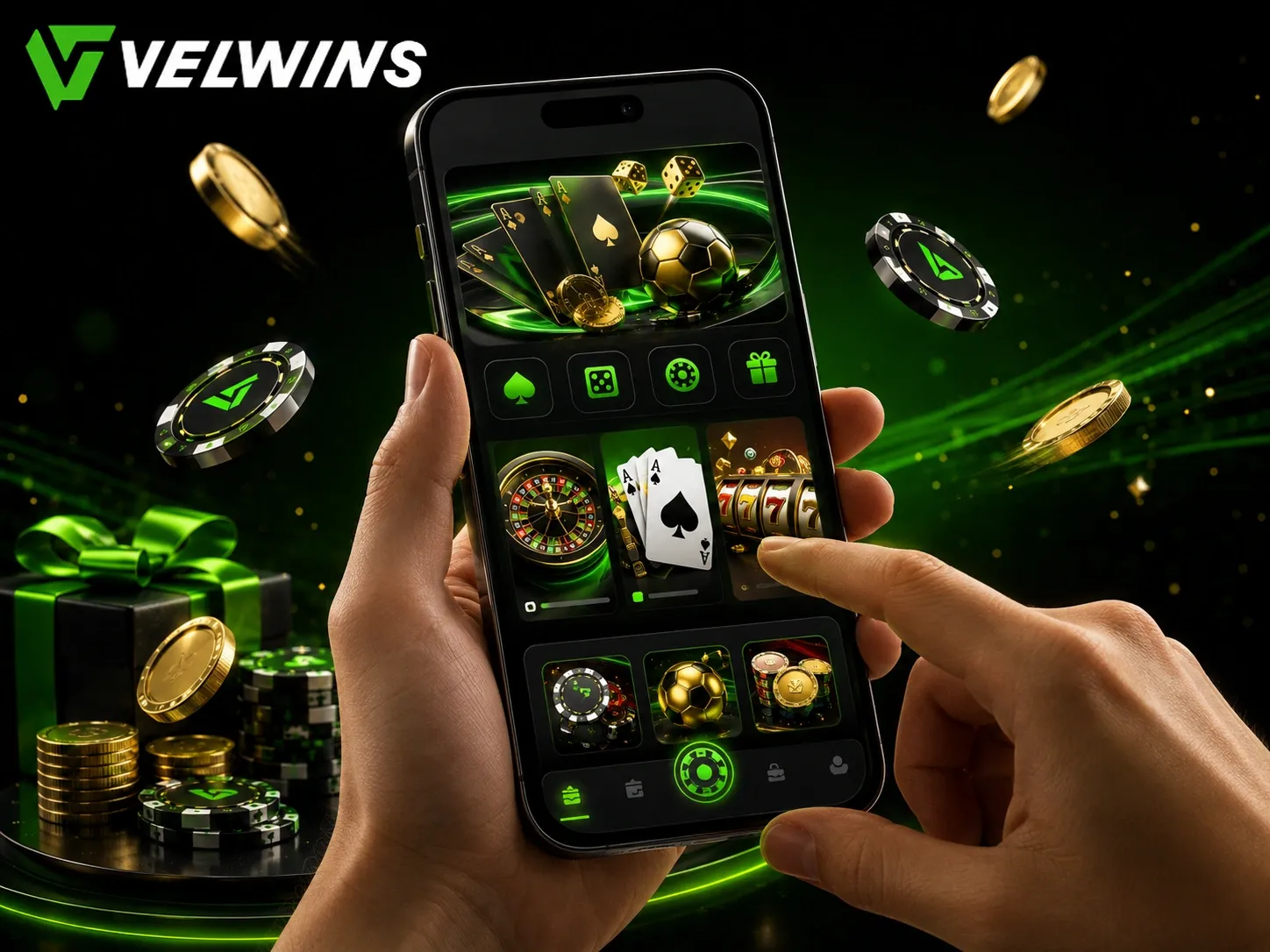
What the App Lets You Do Once You Are Logged In
With access ready, the Velwins casino app opens into a full working environment that covers the most common player actions in one place. The game lobby loads quickly and supports search by name, provider or mechanic, so finding a specific slot or live table takes seconds. Filters for Bonus Buy, Megaways, Jackpots and New games sit at the top of the lobby, narrowing down more than 9,000 titles without scrolling through the entire catalogue.
The cashier is available from the main menu and handles both deposits and withdrawals without switching to a browser. Supported methods include Visa, Mastercard, Apple Pay, Google Pay, Skrill, Neteller, Revolut, Paysafecard and a range of crypto wallets. The minimum deposit is £10, and standard withdrawals from £20 are typically processed within 24 hours on the casino side, provided verification is complete.
Beyond games and payments, the app keeps the full promotions area and reward tools within reach. Players can check active bonuses, track wagering progress, open Lucky Boxes, spin the Wheel of Fortune and follow daily missions from the same account session. The VIP dashboard is also accessible, showing the current level within the 30-stage progression and the cashback rate that applies.
Browsing and Game Access Controls
The lobby navigation supports both search and provider-based filtering. A dedicated Tournaments section shows live leaderboards and entry conditions for active events. Favouriting a game saves it for quicker access on return visits, which suits players who return to specific titles regularly.
Account and Reward Management in the App
Account settings, responsible play options and support access sit inside the profile menu:
- 🎰 daily missions and achievement paths update each session;
- 🎡 Wheel of Fortune spins use Velwins Coins earned through qualifying activity;
- 💬 24/7 live chat opens without leaving the current screen;
- 💰 deposit controls and play-break options are available inside account settings.
Why a Dedicated App Matters for Mobile Casino Play
Most players who switch to app-based access do so because the browser experience requires too many steps between sessions. The Velwins progressive web app removes that friction by sitting on the device home screen and opening directly into the full product without a browser address bar or tab management. That difference is small in isolation but adds up across repeated daily sessions, especially during live betting or time-sensitive casino events.
The app carries the same account, balance and history as the desktop version, so there is no separate registration or wallet top-up needed when moving between devices. A player who deposits on desktop can continue on mobile without interruption. The shared cashier and VIP status mean the 30-level progression, daily cashback and active bonuses all carry across without any manual sync. For players interested in the full Velwins online casino range, this continuity is what makes the mobile product genuinely useful rather than a stripped-down alternative.
The product scope available through the app matches desktop closely. Slots, live dealer tables, jackpot games, the full sportsbook, Bet Builder, in-play markets and the rewards area all load through the PWA. Evolution and Pragmatic Play live games stream without noticeable quality reduction on a stable mobile connection. That level of coverage makes the app practical for both casual sessions and longer play periods.
Casual Use Versus Session-Based Play
For quick sessions, the app shortens the path from intention to gameplay. For longer periods, the stable PWA environment, full cashier access and live chat support make it a self-contained product rather than a companion tool.
How the App Handles Trust and Account Security
App safety at Velwins rests on the same infrastructure used across the main site, but the mobile entry point adds specific trust considerations. The PWA is distributed directly from the website rather than through a third-party store, which means the version a player installs comes from the operator without modification. Updates apply automatically in the background without requiring a manual download, so the app running on the device stays current with the latest security and performance changes.
Login security relies on the same credentials used across all access points. Players who set up two-factor authentication or use a strong unique password benefit from that protection regardless of whether they access the account from mobile or desktop. The session is tied to the verified player account, so any unusual activity, such as a login attempt from an unfamiliar device or location, can trigger the account-security review process defined under the one-account policy.
Transaction handling within the app uses SSL encryption across all cashier actions. Withdrawals follow the same verification steps as desktop requests, including identity checks at first withdrawal and enhanced review for larger payouts. Payments return through the same method used for the original deposit where that route supports withdrawals, and no payout bypasses the KYC process.
Recognising Secure App Sessions
A secure app session connects directly to the verified player account without storing credentials locally on the device. Players should avoid using shared or public Wi-Fi networks for cashier activity and should log out if a device is shared. The 24/7 live chat support channel is available inside the app for any account or security concern that arises mid-session.

Welcome Bonus: 400% + 350 Free Spins
The Velwins welcome package spreads across five deposits, giving up to 400% in matched funds plus 350 free spins. The first deposit alone brings a 100% match and 100 spins on Wanted Dead or a Wild.
Bonus wagering is set at x40, with a £25 minimum deposit per stage and a 7-day window to complete each step.

9,000 Games From 70+ Studios
The casino lobby covers slots, live dealer tables, jackpots, instant games and game shows from providers including Pragmatic Play, Evolution and Hacksaw Gaming. Filters for Bonus Buy, Megaways and jackpot games make navigation quick.
The live casino holds 350 real-dealer games, with roulette, blackjack, baccarat and game shows available across all table limits.

Fast Payouts, Crypto & Secure Access
Withdrawals process within 24 hours casino-side, with Visa, Mastercard, Skrill, Neteller and crypto all supported. Bitcoin, Ethereum, USDT and ten further digital currencies are accepted through the shared cashier.
The Velwins PWA installs directly from the browser on Android and iOS, giving full account, cashier and sportsbook access without an app store download.
Navigate the Next Steps After Reading About the App
Once the app setup is done, the most practical move is knowing where to go next. Velwins covers several connected areas that become relevant immediately after installation, and visiting them in order saves time. The registration page is the natural starting point for anyone who hasn’t yet created an account, since the mobile flow works directly through the same session used in the app.
Beyond account setup, the cashier, bonus section and game library are the three areas that new mobile players typically visit first. Each one serves a distinct purpose, and the app gives direct access to all of them without switching to a desktop browser.
Where to Go After Installing the App
Completing the Velwins registration is the first step that unlocks the full range of features. From there, the cashier handles deposits and the bonus section shows which promotions are currently active. The game library opens immediately after the balance is funded.
Other Useful Pages on the Site
- 🎰 Slots page for browsing the full catalogue by provider or mechanic;
- 💰 Bonuses page for checking current deposit offers and free spins;
- 📋 Payments page for reviewing supported methods and withdrawal times;
- 🎲 Live Casino section for real-dealer tables and game shows.
Responsible Mobile Gambling and Age-Appropriate Access
Mobile access makes gambling faster and more convenient, which also means it requires more personal awareness. Velwins is available to players aged 18 and over only, and the same age and identity checks that apply on desktop apply equally through the app. There is no separate or lighter process for mobile accounts.
The account controls built into the app are the same ones available on desktop. Players can set deposit limits, activate a play break or request self-exclusion directly through the account section without needing to contact support. These tools are designed to be easy to reach and quick to activate, so they can be used at any point during a session.
Using App-Based Limits Effectively
Deposit controls and session limits work on the account level, meaning they apply across both mobile and desktop access simultaneously. Setting a weekly deposit cap through the app, for example, applies the same restriction to any device used to log in. This makes them genuinely useful rather than easy to bypass.
Keeping Gambling Balanced on Mobile
The always-available nature of a home-screen app means it’s worth being deliberate about when and how long you play. Short, planned sessions tend to work better than extended unplanned ones. The app doesn’t remove any of the account tools, so budget and time controls are always within reach.
Final Notes on App Performance and Practical Use
The Velwins PWA updates automatically each time it loads, so there’s no manual update process to manage. The version running on your device reflects the current build without requiring visits to an app store or manual reinstallation. This also means any new features or cashier changes appear immediately on the next launch.
Performance can vary depending on the device and connection quality. A stable Wi-Fi or 4G connection gives the best experience, particularly in the live casino section where real-time video streaming is involved. On slower connections, some live tables may take longer to load or briefly drop in quality.
Support Access Through the App
Live chat support runs around the clock and is reachable directly within the mobile session. If a technical issue appears, reporting it through chat is faster than email for most account and session questions. Email and the contact form remain available for follow-up on verification or payment cases that take longer to resolve.
Velwins Casino App — Frequently Asked Questions
Is there a dedicated Velwins app available for download?
Velwins uses a Progressive Web App rather than a native file downloaded from an app store. Android users can add it to their home screen through Chrome, while iPhone and iPad users can do the same via Safari. The PWA opens without browser chrome and updates automatically, so there is no manual installation or APK file required.
Can I install the Velwins app on my iPhone or iPad?
Yes. iOS users can access Velwins through Safari and use the Add to Home Screen option to create a PWA shortcut that behaves like an installed app. There is no App Store listing to find or download. The experience covers the full casino lobby, sportsbook, account area and cashier from one icon on the home screen.
Do I need to create a separate account to use the mobile app?
No separate registration is needed. The Velwins PWA uses the same login credentials as the desktop site, so the same account, balance, bonuses and VIP progress are accessible straight away. Velwins operates a one-account-per-player policy, meaning only one account is permitted per household, IP address and device.
Is the Velwins mobile app safe and secure?
The PWA is served through SSL-encrypted connections, which protects data passed between the device and the platform. Account security is further supported by identity verification checks, KYC processes and the same AML monitoring applied across all player activity. Using a VPN or proxy can trigger eligibility and account-security reviews under Velwins terms.
What can I do through the Velwins app?
The app gives access to the full casino catalogue of around 9,000 games, 350 live dealer tables, the sportsbook, promotions, Velwins Coins, the Reward Store, daily missions and the cashier. Deposits start from £10 and withdrawals from £20, with the same payment methods available as on desktop, including Visa, Mastercard, e-wallets and cryptocurrency.
What should I do if the Velwins app is not working properly?
A first step is to clear the browser cache or remove and re-add the PWA shortcut, as the app updates automatically and a cached version can occasionally cause loading issues. Checking that the device has a stable internet connection and that the browser is up to date will resolve most problems. If the issue continues, Velwins offers 24/7 live chat support alongside email assistance for technical cases.
Can I claim bonuses and use the VIP programme through the mobile app?
All promotions, including the welcome package, Wednesday and weekend reload offers, cashback and Lucky Bundles, are fully accessible through the PWA. The 30-level VIP programme, Velwins Coins, Wheel of Fortune, Lucky Boxes and tournament leaderboards work the same way on mobile as on desktop. Bonus terms, wagering requirements and expiry windows apply equally regardless of which device is used.